MyHome
Customer Portal Redesign
From a Legacy Liability to a Digital Asset : Transforming MyHome into a Customer-Centric Platform
As the Project Lead and UX/UI Designer, my goal was to elevate the platform from a billing site into a holistic 360° self-service solution. The focus was on delivering a highly efficient and cost saving platform by solving core failures in usability and support.
The result: My immediate impact was the successful delivery of a feature-complete MVP and a reduction of time on task for customer support and purchases. I left the team with a production-ready solution, detailed handoff assets, and a clear roadmap for tracking the long-term ROI.
Tools
Figma
Platform
Website
Team size
6
Timeline
March 2023 - Initial ideation
August 2025 - Official Launch
Project Type
In-House Optimization (B2C Customer Portal)
-
The MyHome customer portal’s structural and functional shortcomings undermined its efforts to digitize the customer experience. Given its legacy backend system, this results in a high volume of inaccessible or unattached accounts in the user database and essential account management features that were unavailable. The platform failed to serve its purpose, making the system ill-equipped in providing a holistic customer journey.
Problem Statement: The portal's structural and functional shortcomings—driven by a legacy backend system—resulted in a high volume of inaccessible accounts and essential management features being broken or unavailable, failing to provide a holistic digital customer journey -
Redesigned the platform to transform into a holistic, 360° self-service platform focused on plan details, account health, support, and personalized offers.
-
Resource Constraints & Phased Delivery: Due to strict budgetary limitations, the team actively prioritized features based on their projected immediate ROI. This necessitated simplifying complex flows and strategically parking secondary features for a planned post-launch Phase 2 and 3, ensuring the MVP delivered core user value.
External Timeline Delays: The project experienced significant internal procedural delays post-design completion. Recognizing that competitors were advancing during this time, we ensured the design remained future-proof and conducted interim competitive audits to validate the long-term viability of the final product strategy before launch.
Third-Party Vendor Constraints & Technical Translation: The use of a budget-limited third-party development team imposed strict technical guardrails related to their legacy system capabilities. This required the design team to work closely with the vendor to ensure the final implementation remained as faithful as possible to the strategic UX goals, even with necessary UI compromises.
Project Goals
Increase Digital Adoption
Increase Monthly Active Users (MAU) from 10% to 35% within first 6 months.
Reduce Support Calls
Save 25% of costs from support calls within the first year of implementation.
Cross-sell Offers
Provide highly personalized, relevant cross-sell offers based on usage and account status.
Discovery & Research
Data Synthesis & Problem Validation
I performed an Analytics Review of the portal's usage data to confirm the 90% adoption gap and identify key drop-off points in the account management funnel.
I conducted a Heuristic Evaluation of the existing portal, which exposed the structural issues, including the 50%+ unusable features and legacy account logic.
Stakeholder Insight Gathering
To understand the "why," I conducted meetings with the Customer Experience, Marketing, Product, Rewards, Churn, Cross-sell, and Billing teams. Their feedback provided rich qualitative data on the most common pain points driving up costs and difficulties in engagement.
A Competitive Benchmarking review was executed to understand how modern telecom self-service platforms structure 360° account views and personalized offers.
New Information Architecture: The Four Pillars
Dashboard
Provides an at-a-glance view of the Plan details, Billing, Support and Shop
Billing
For streamlined payments and transparent access to historical data on past bills and payments
Support
Centralize the Customer Journey in filing new tickets and tracking all inquiries (webforms, hotline, chatbot)
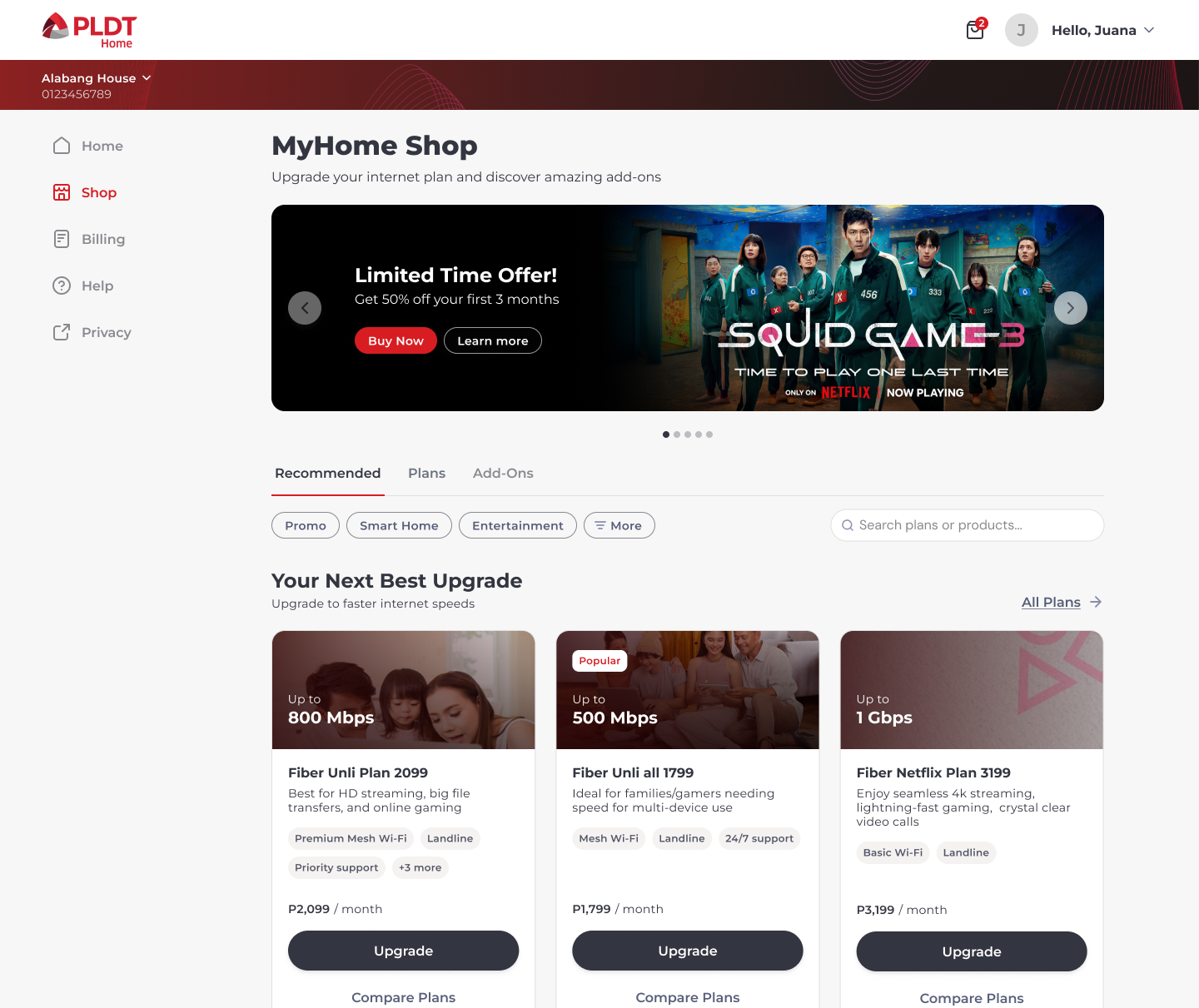
Shop
A dynamic and personalized catalog of relevant upgrades and add-ons based on the user's account data.
Ideation & Design
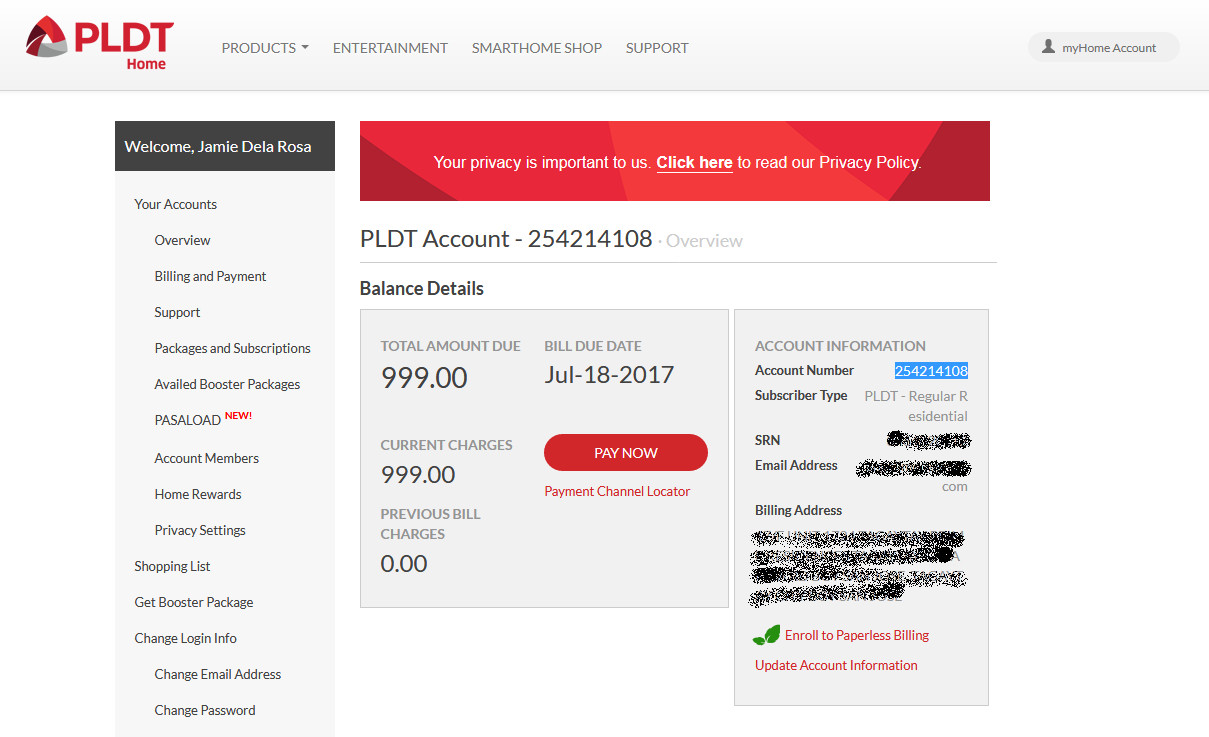
Legacy Portal Design
There were over 20 navigation items with half of them either unavailable or broken links
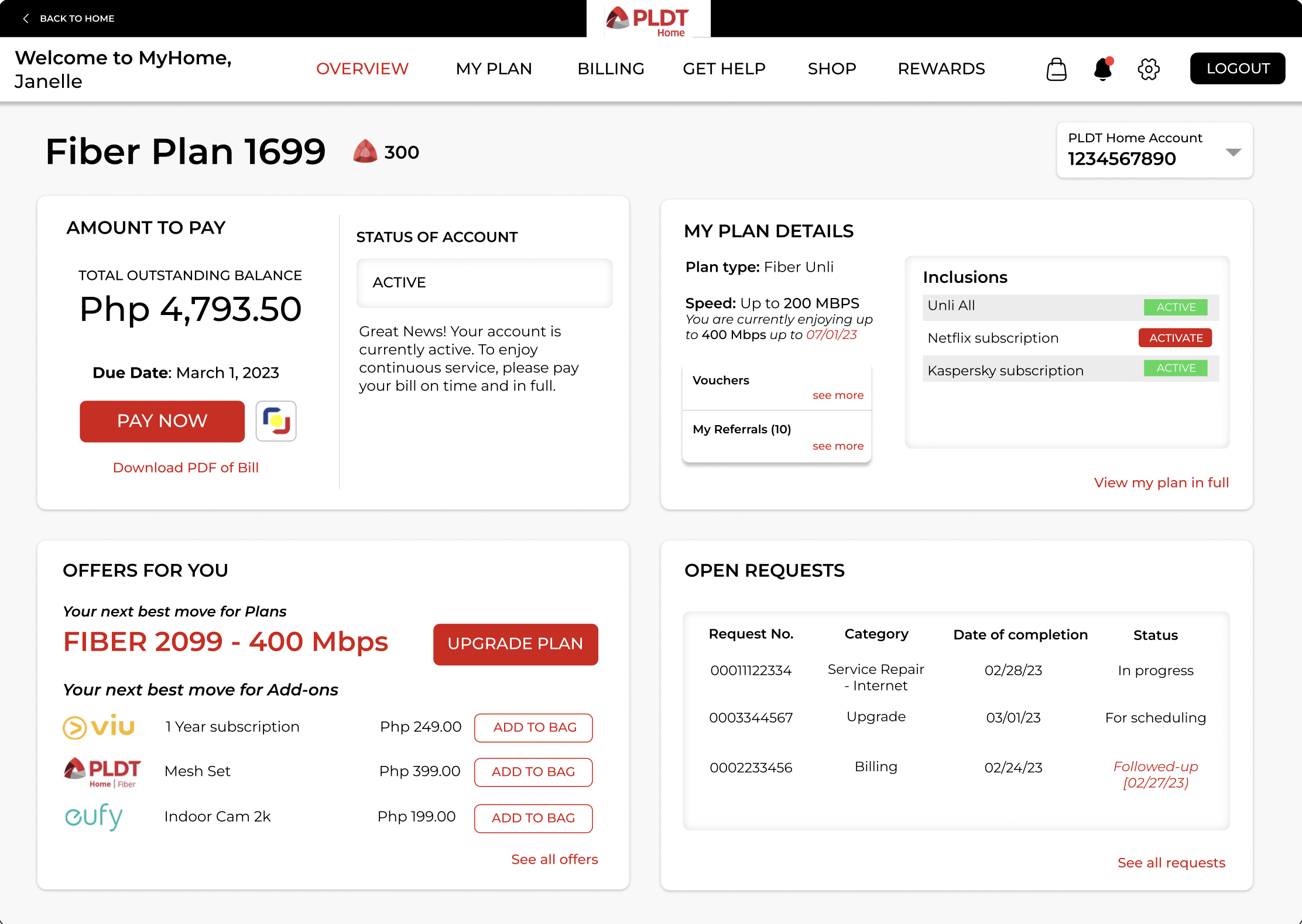
The first wireframes were conceptualized into four quadrants to illustrate the idea that the customer could have a holistic view of their dashboard. I started with medium wireframe to justify the project to C-level stakeholders from the beginning.
Medium-Fidelity Wireframes
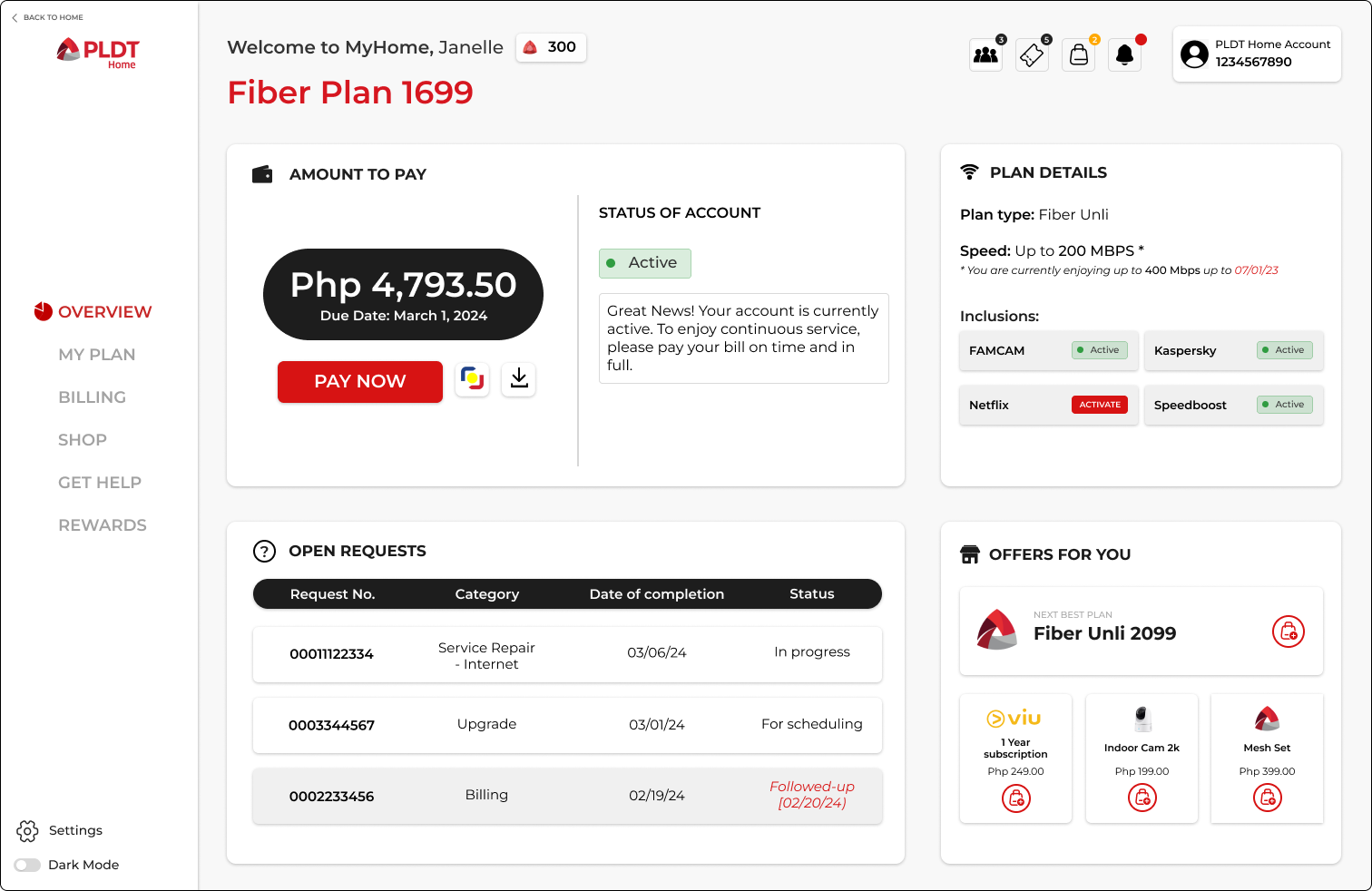
UI Conceptualization
Once the idea was approved, I started to experiment with the layout and colors of these quadrants while maintaining the original intent of the four quadrants,
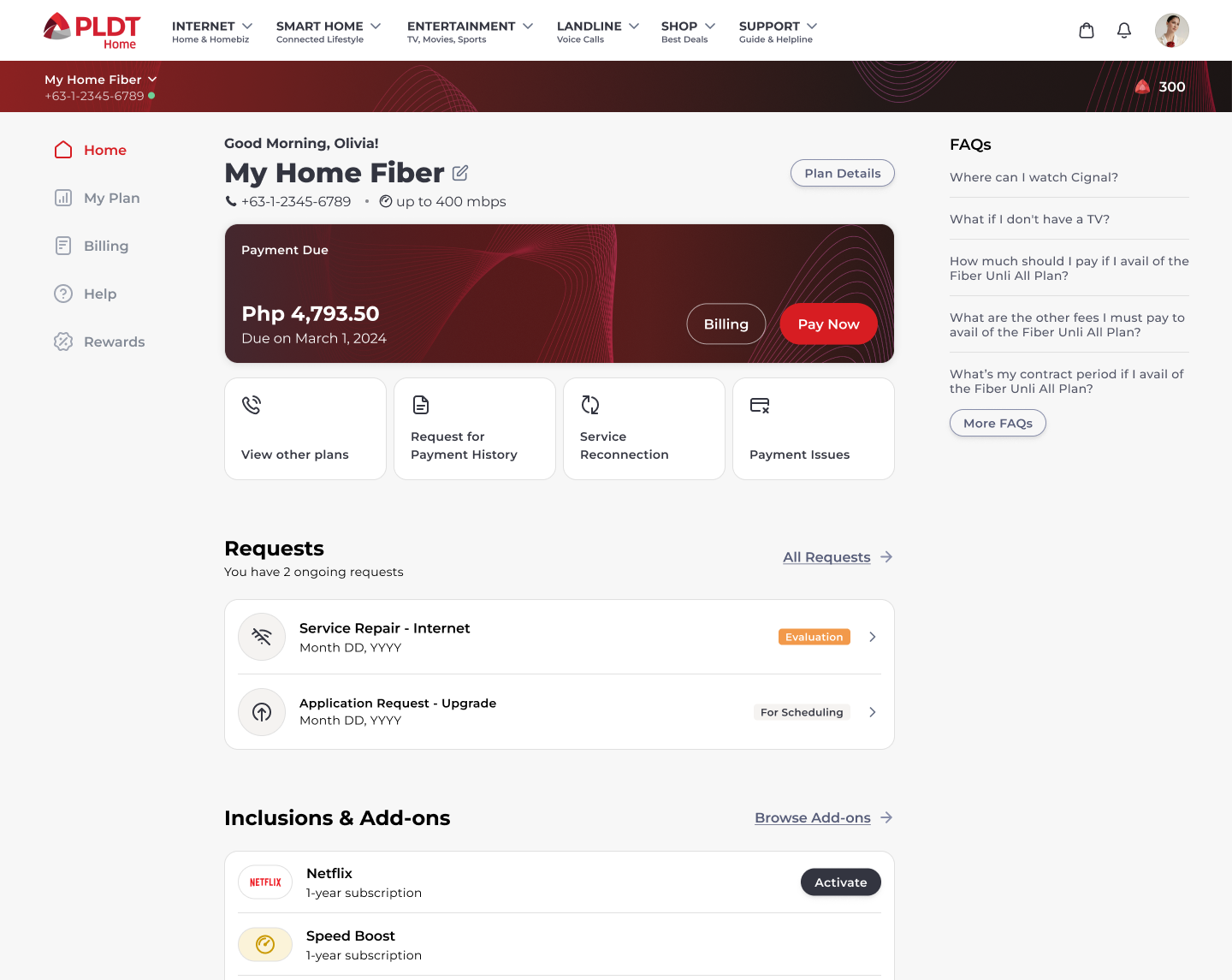
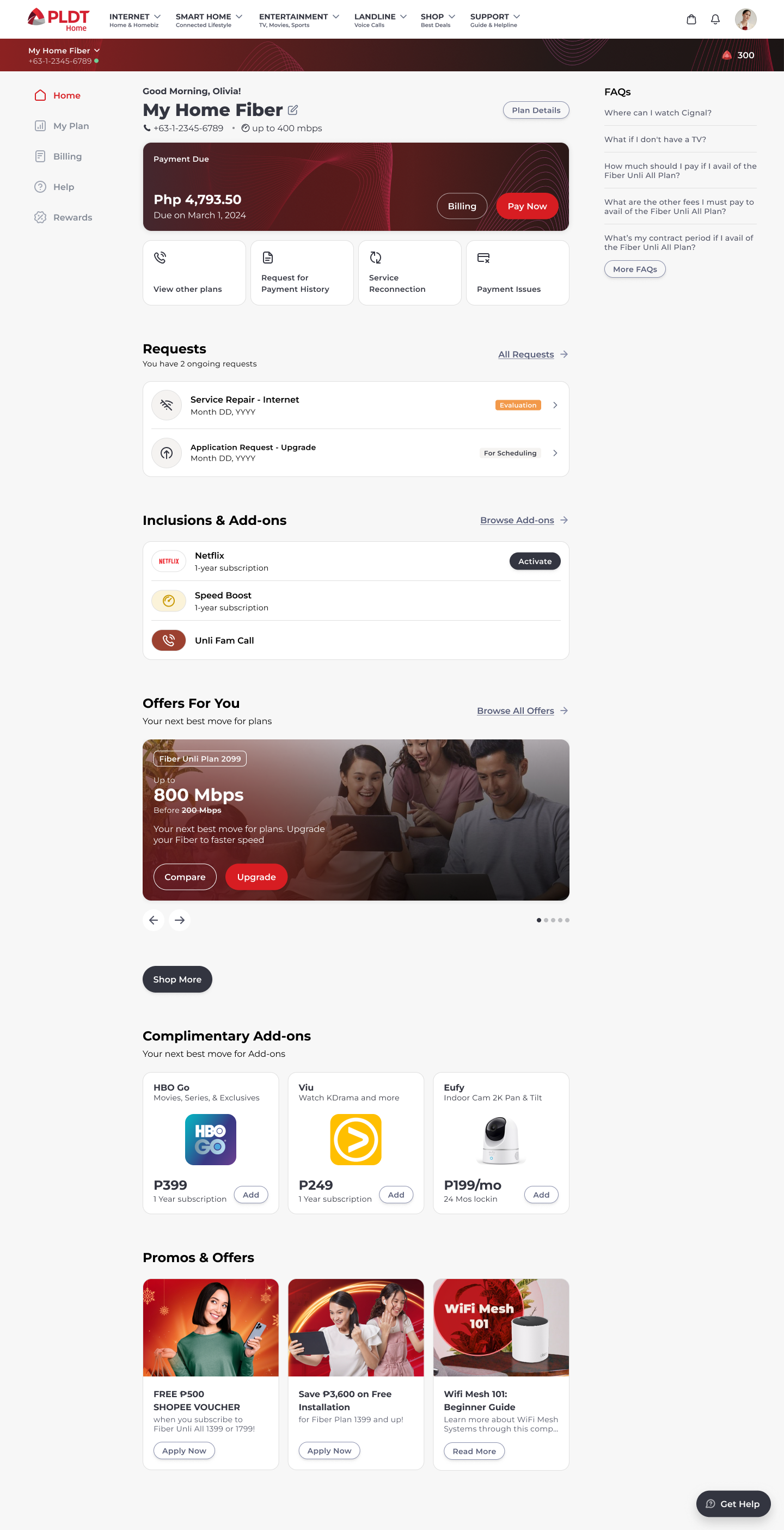
First High-Fidelity Wireframes
In a team of 3 UI/UX designers, we worked together to create the final product. This was the original version before we landed on the launch-ready portal design.
Final Product Walkthrough
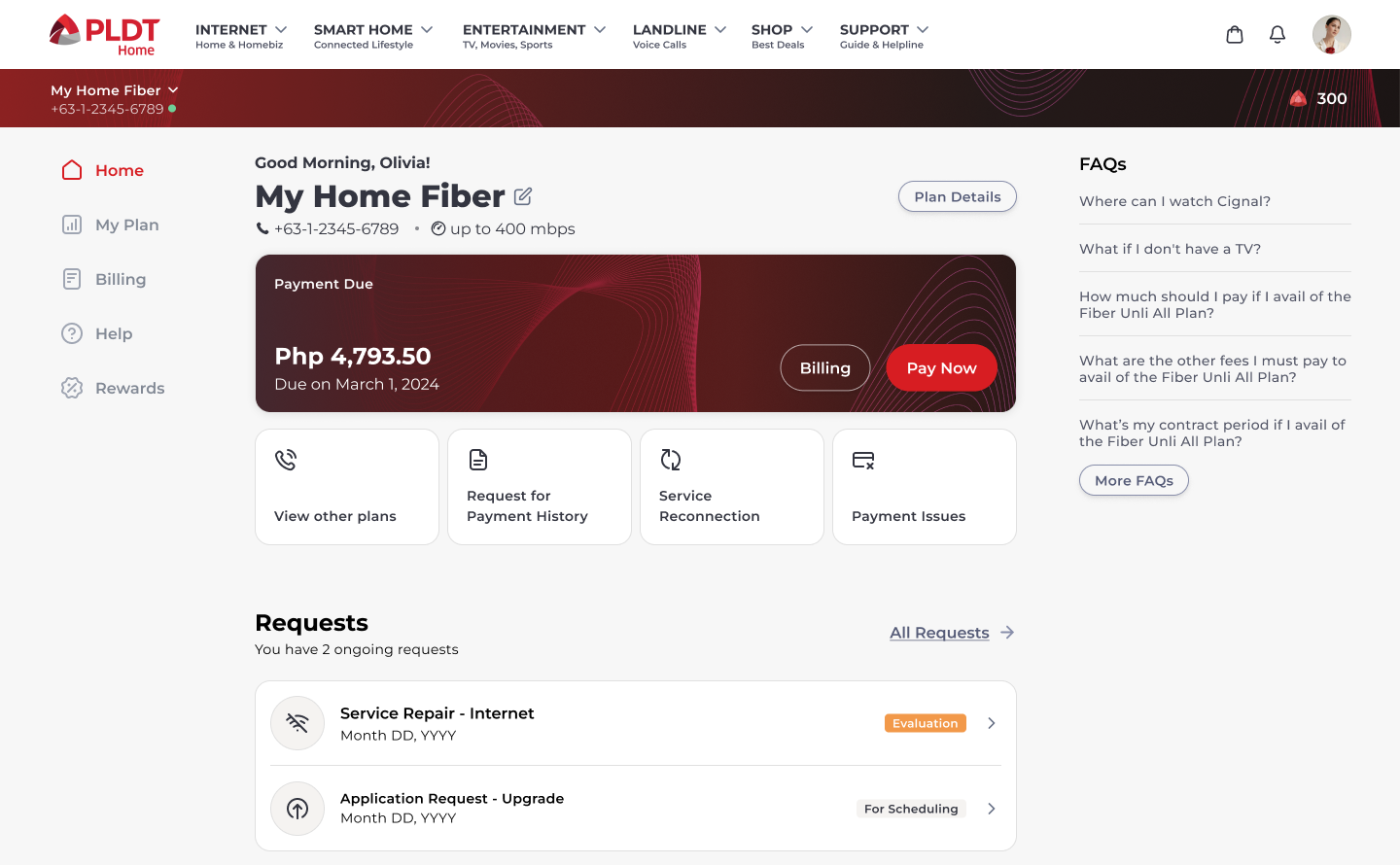
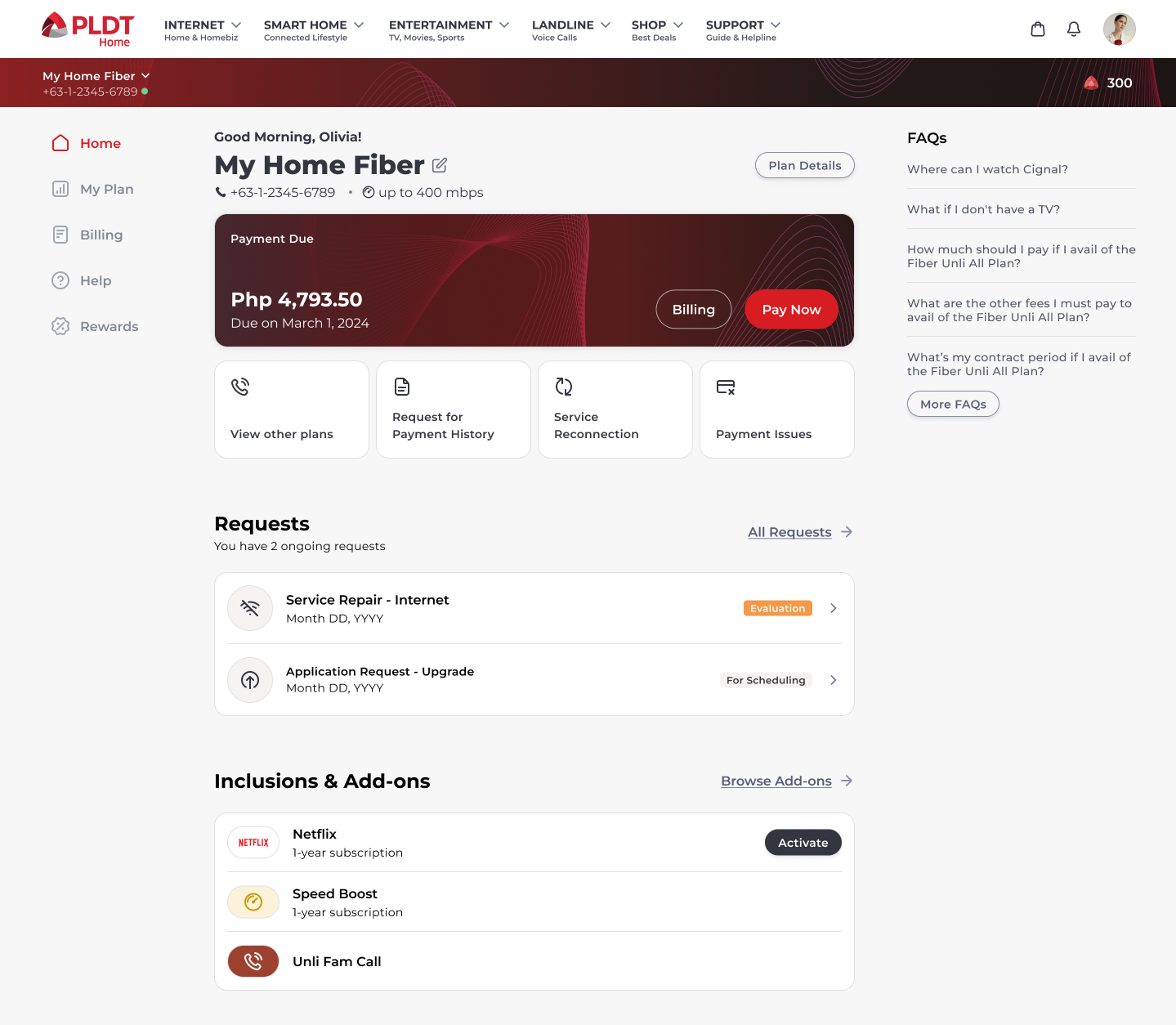
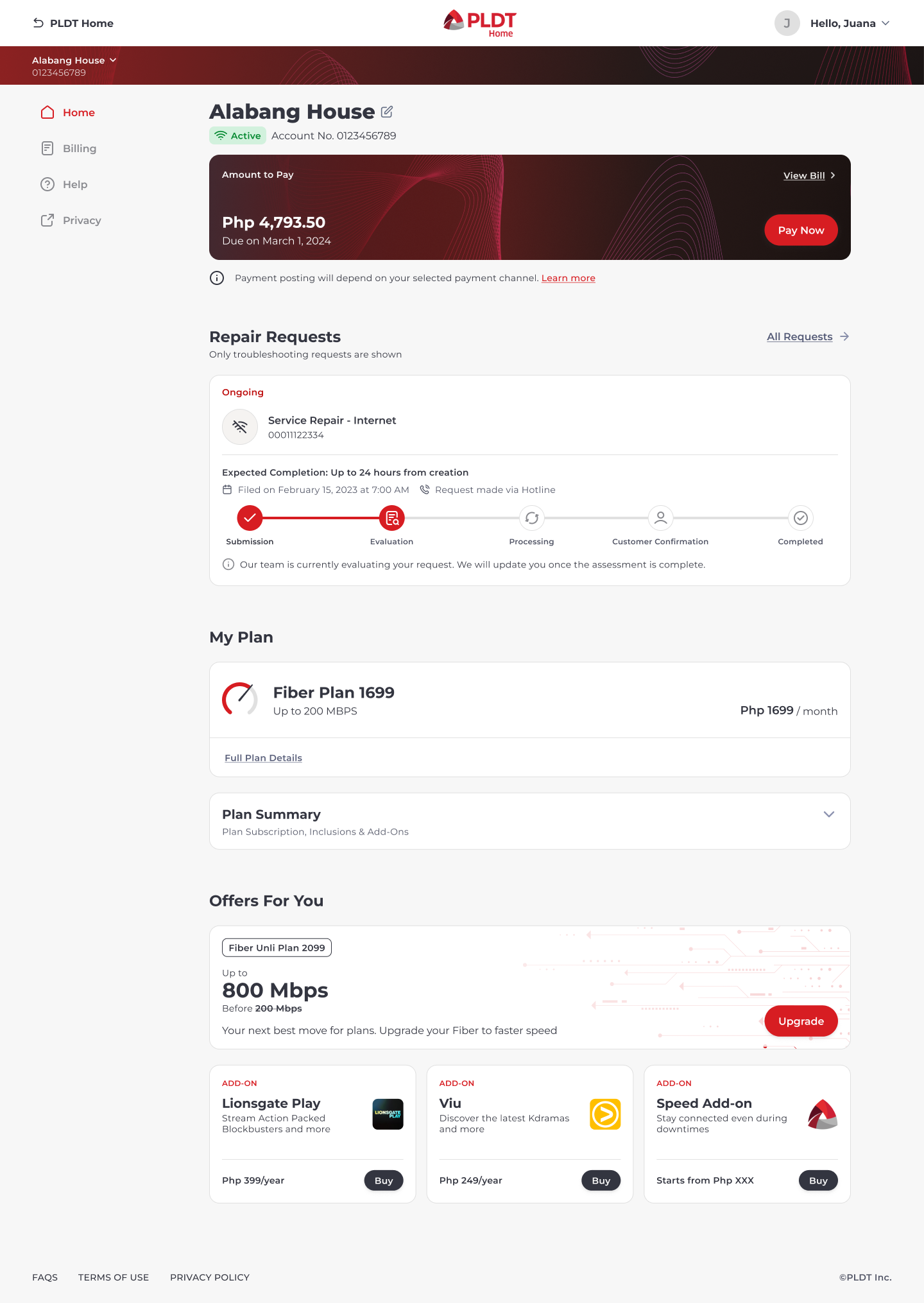
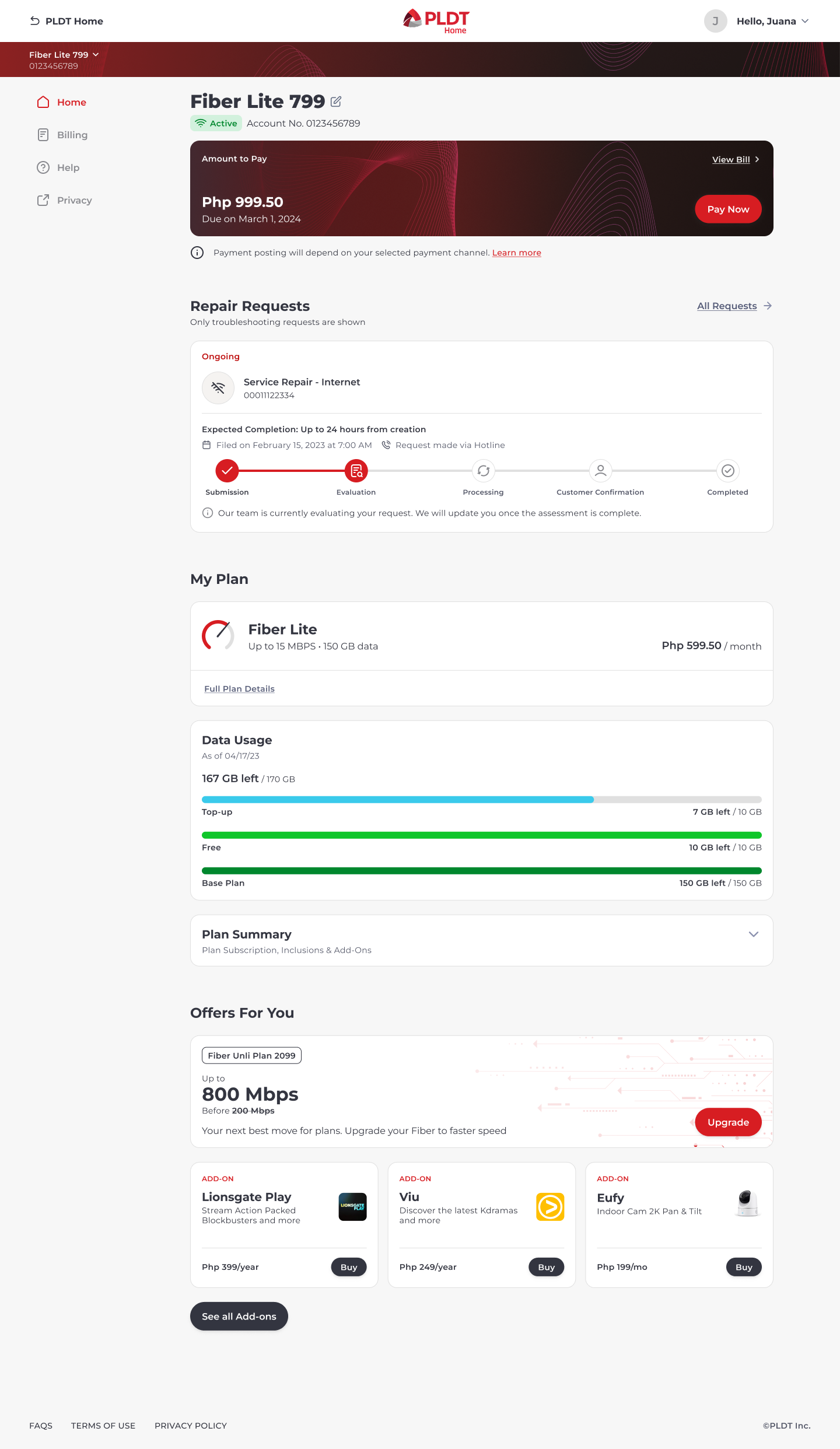
Original Dashboard Design
Rationale for Final Design
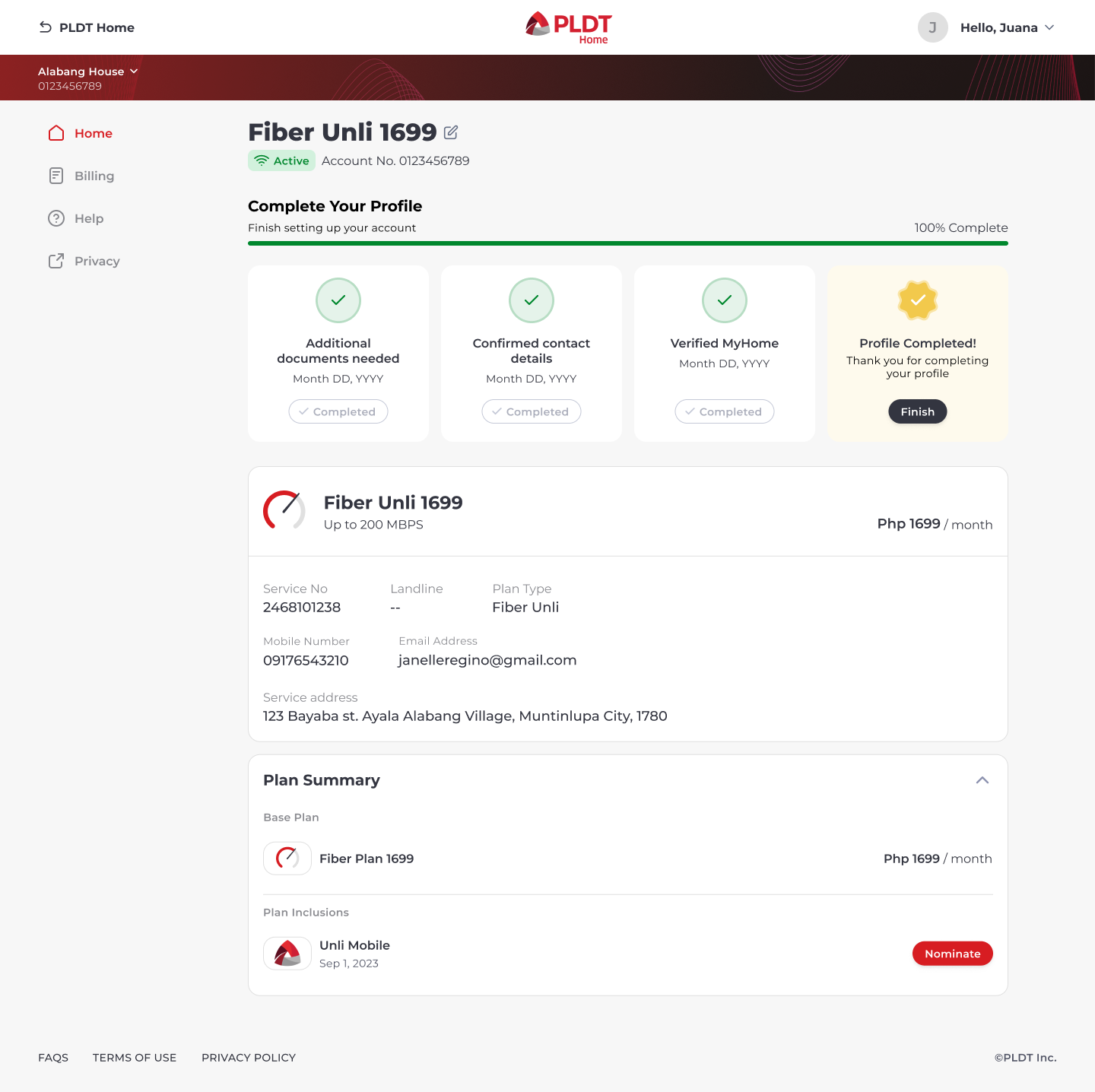
While I maintained the four quadrants, the change from having the info in the first fold to multiple folds was due to the mobile version of the webpage. I wanted to ensure that the views were consistent for both mobile and desktop versions and that the important information did not get lost in the size constraints of a single fold.
Each box represents a summarized version of the intents, focusing on the original goal of providing account info at-a-glance.
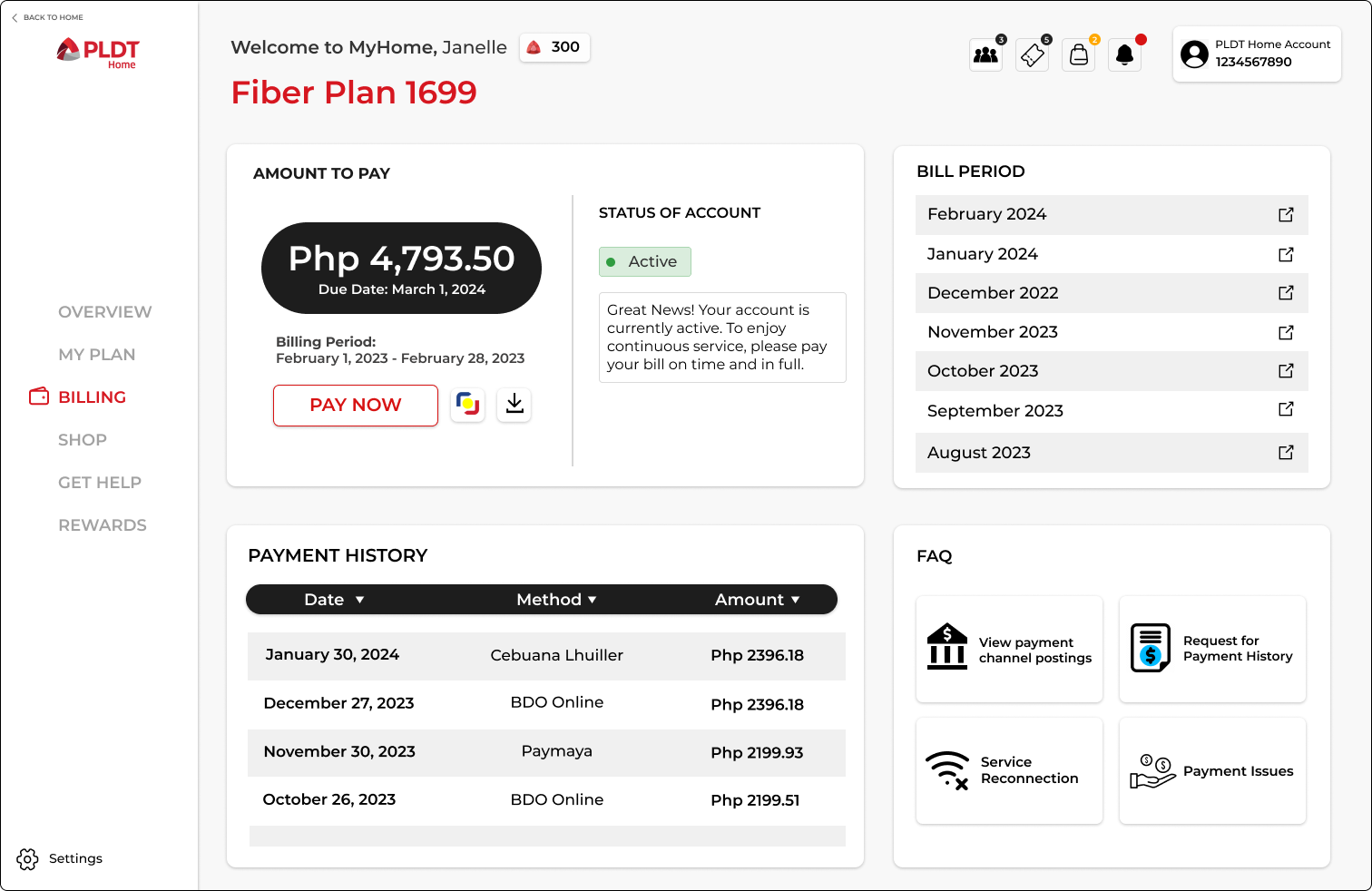
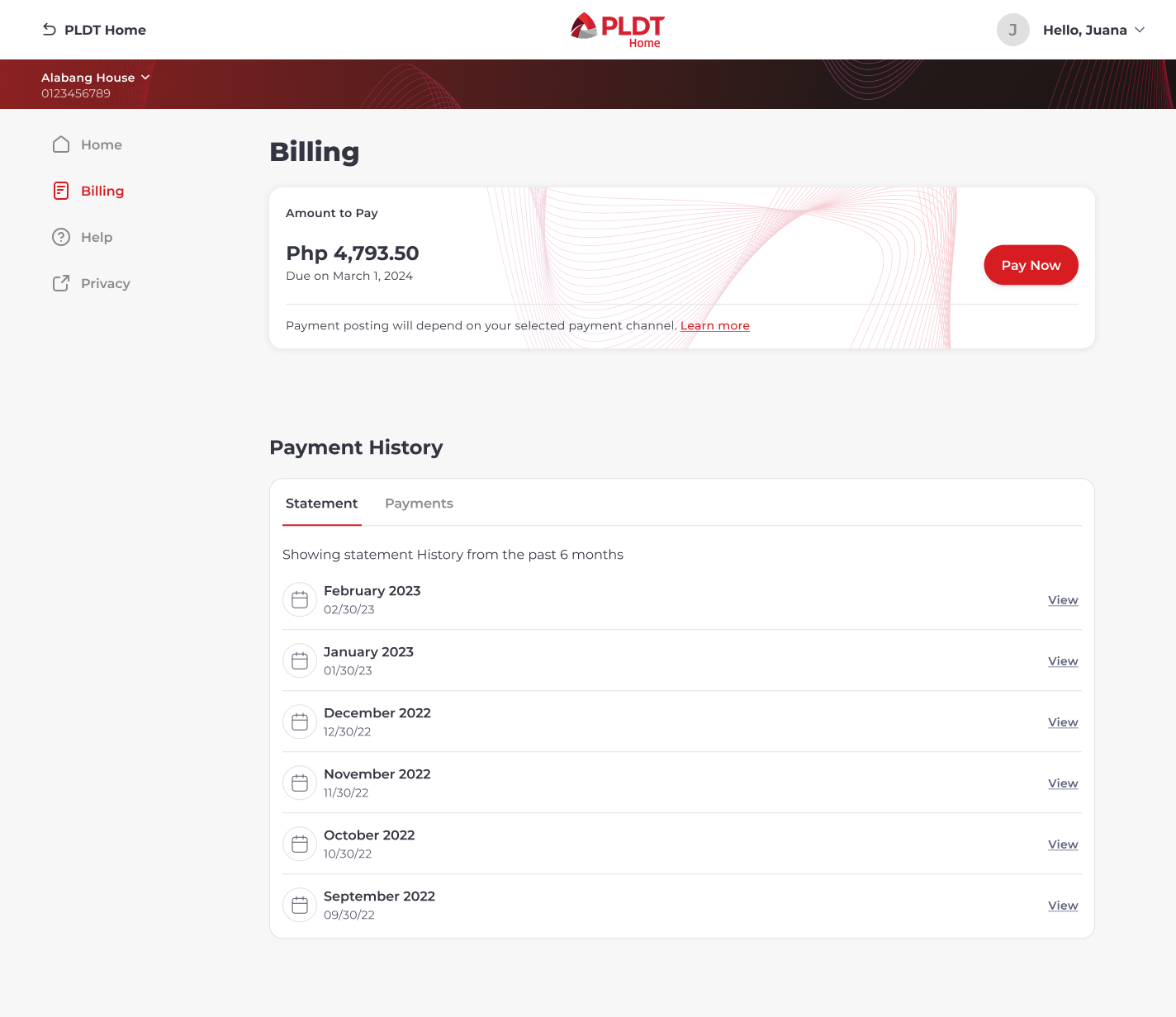
Original Billing Design
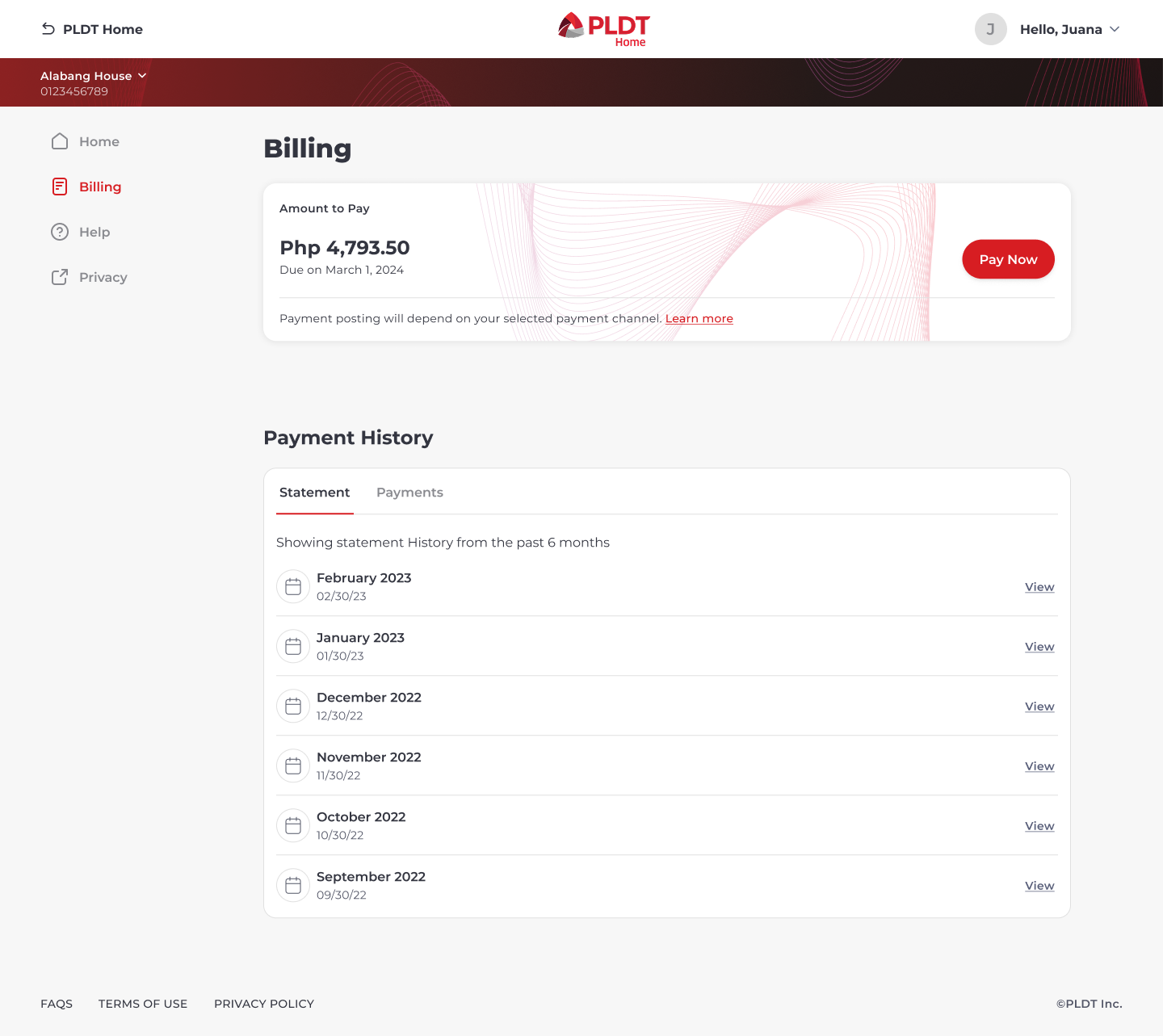
Rationale for Final Design
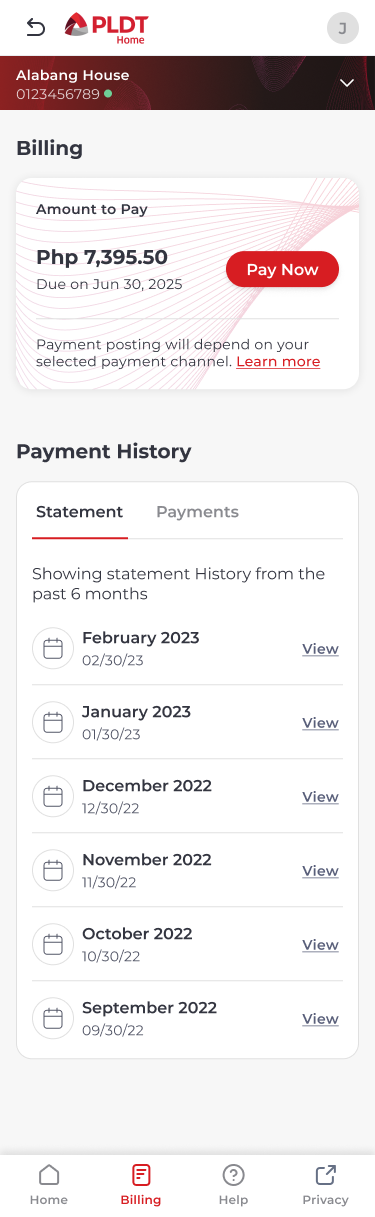
Similar to the dashboard, the quadrants were placed sequentially to maintain consistency with mobile views. The amount due replicates the same format from the dashboard with a slight adjustment color-wise to distinguish the two pages. Instead of two separate boxes, we combined the payment history into one space, utilizing the horizontal tabs to switch views from billing statements to transactions.
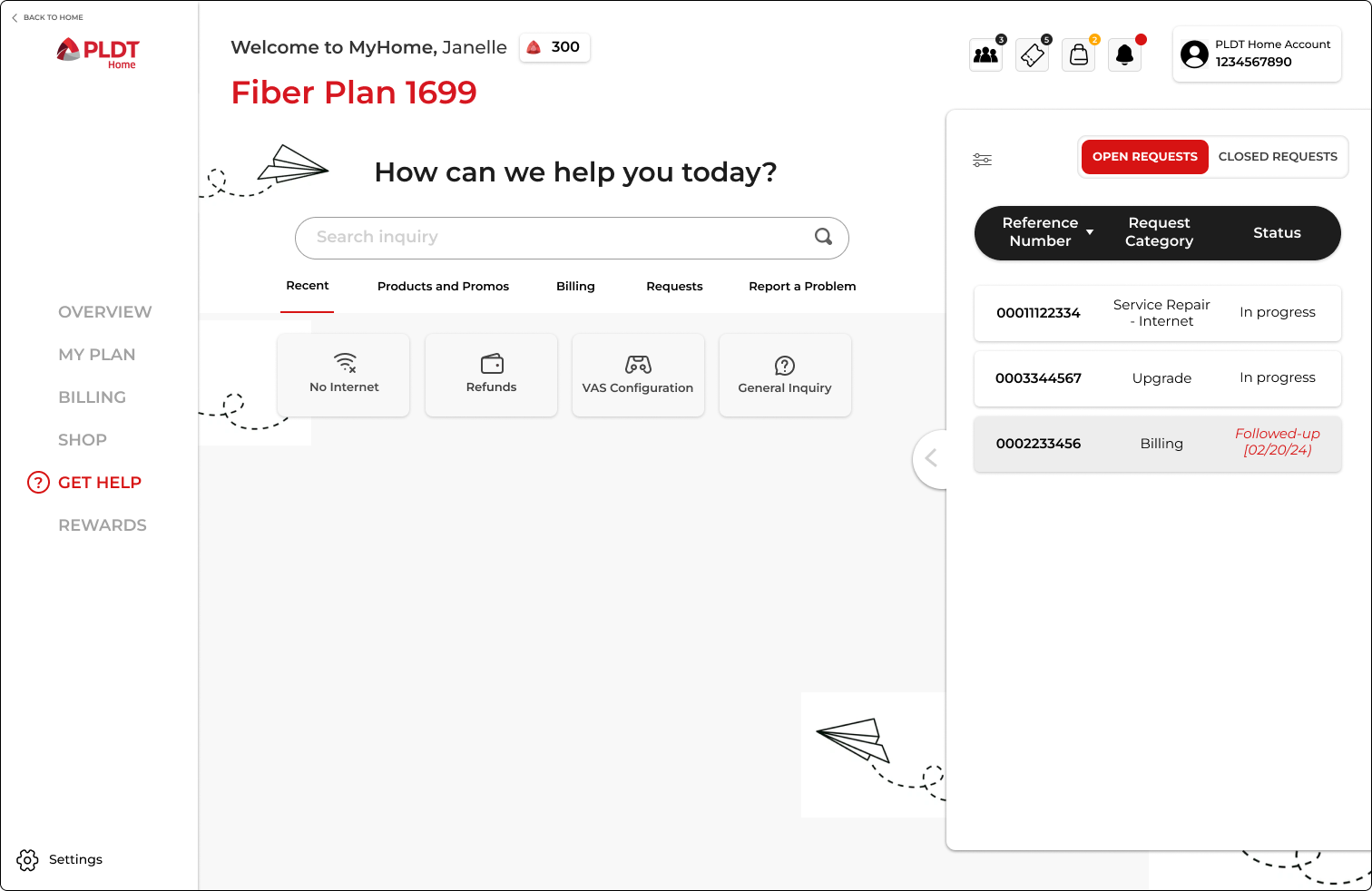
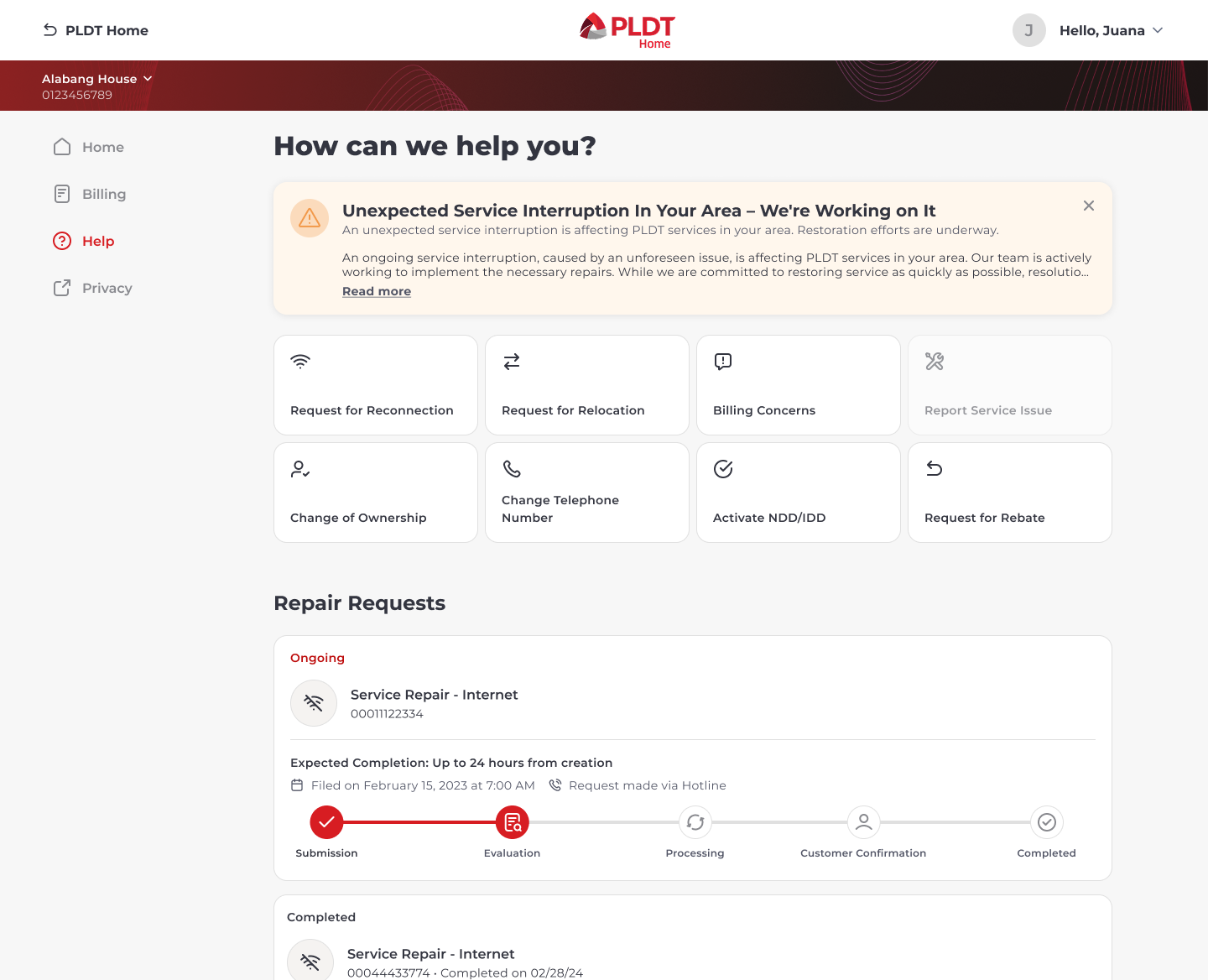
Original Support Design
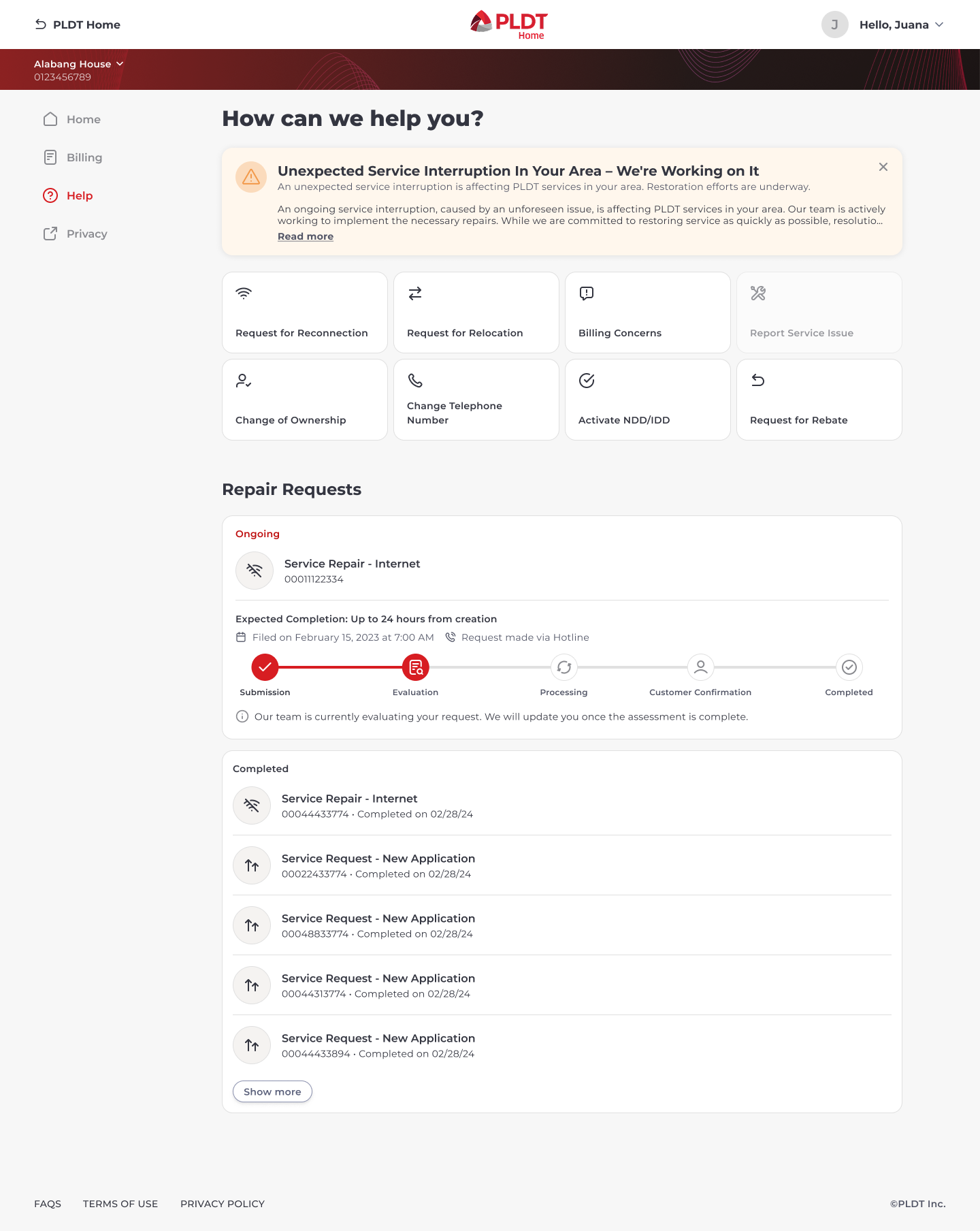
Rationale for Final Design
The support page required close coordination with the Customer Experience (CX) team since this was the most important part of the portal. At the top, there is a banner that tells the customer if there are any service interruptions happening in their area. This was placed there for emphasis since much of the CX inquiries revolve around that issue.
While the original design had a search bar, we reduced it to eight buttons as the limited availability of intents allowed us to push upfront what the customers could actually ask (mitigating frustration when they don’t find their inquiry).
The repair status was replaced with a progress bar for a more descriptive and easily understood visual on the status as opposed to the original tabular format.
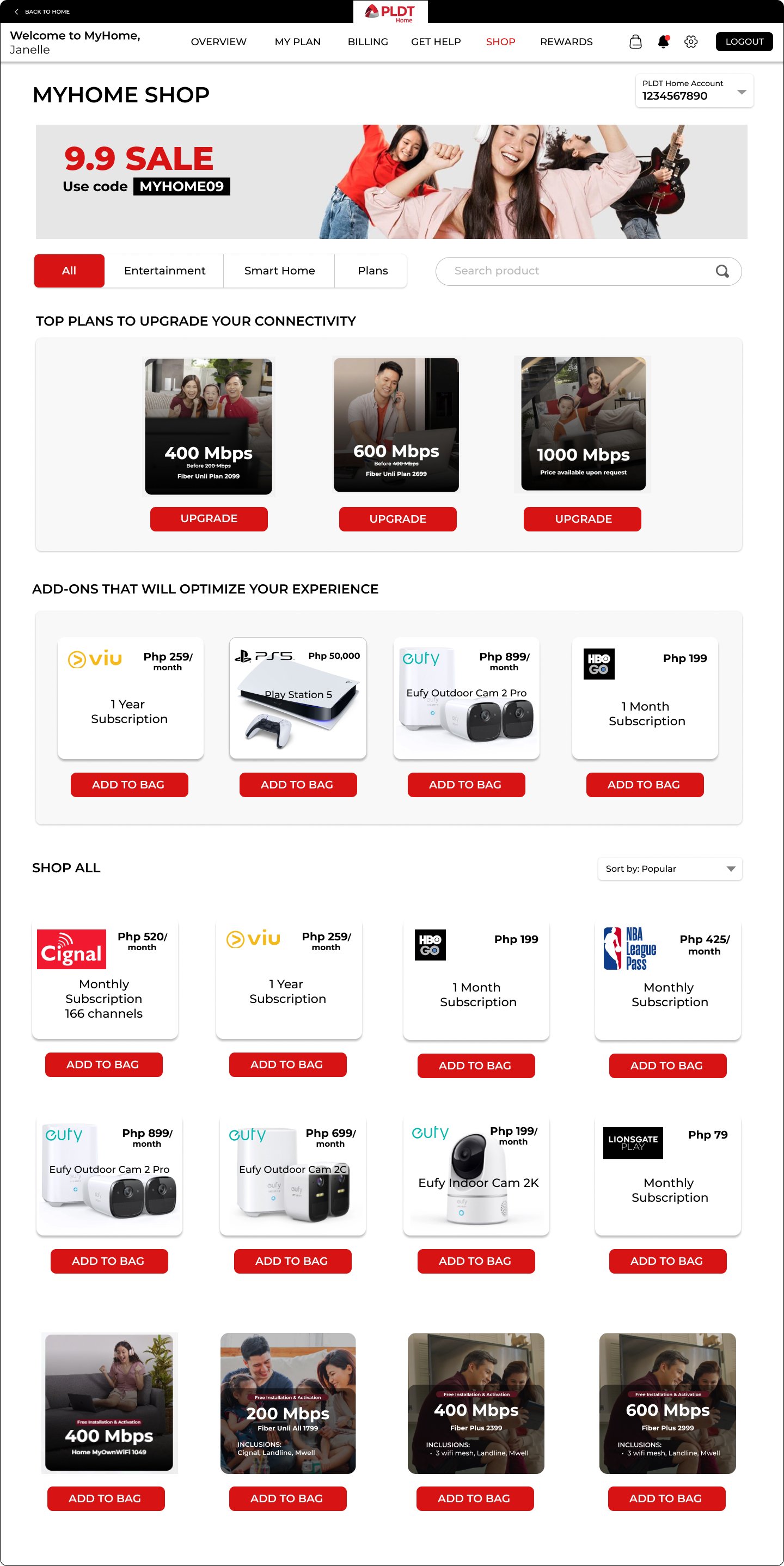
Original Shop Design
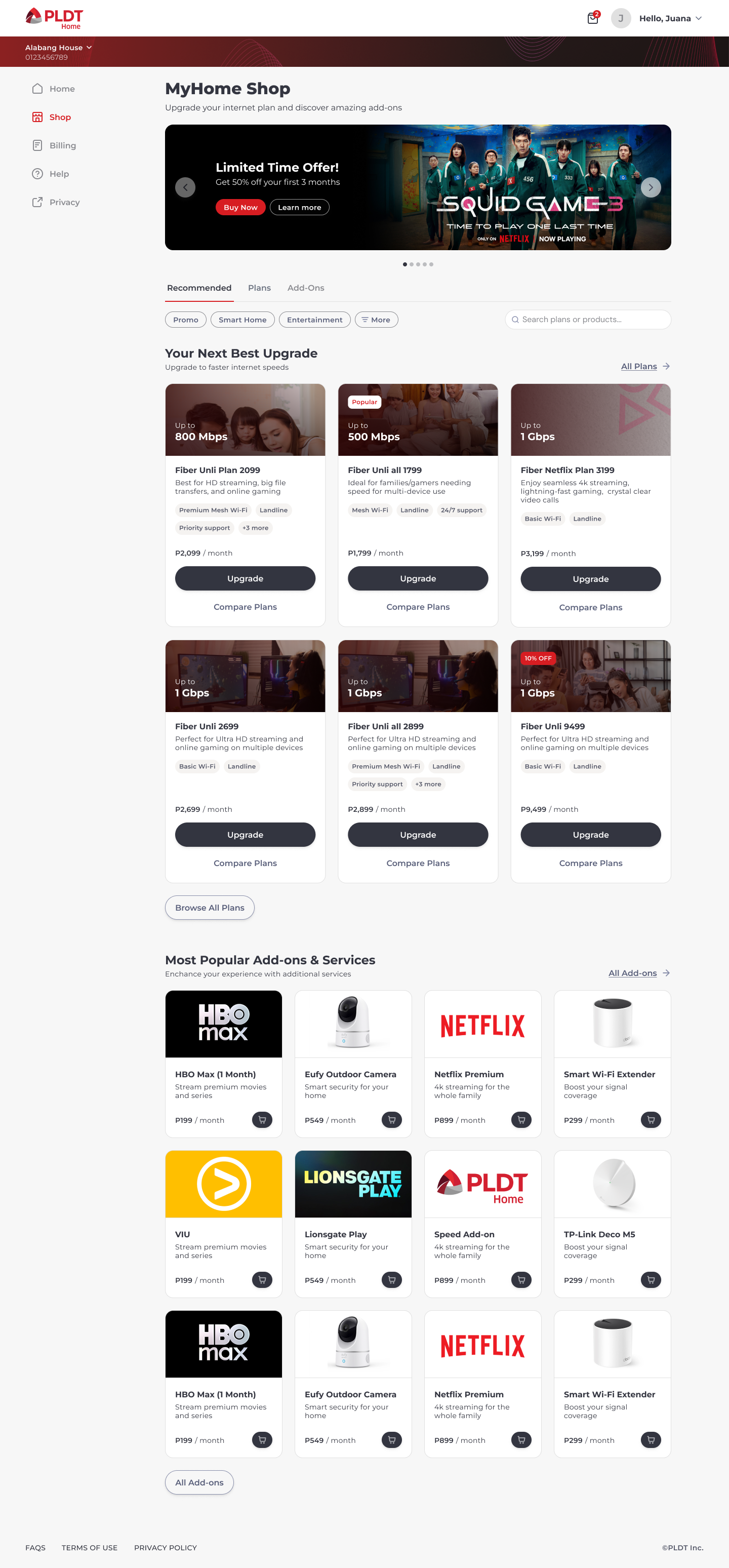
Rationale for Final Design
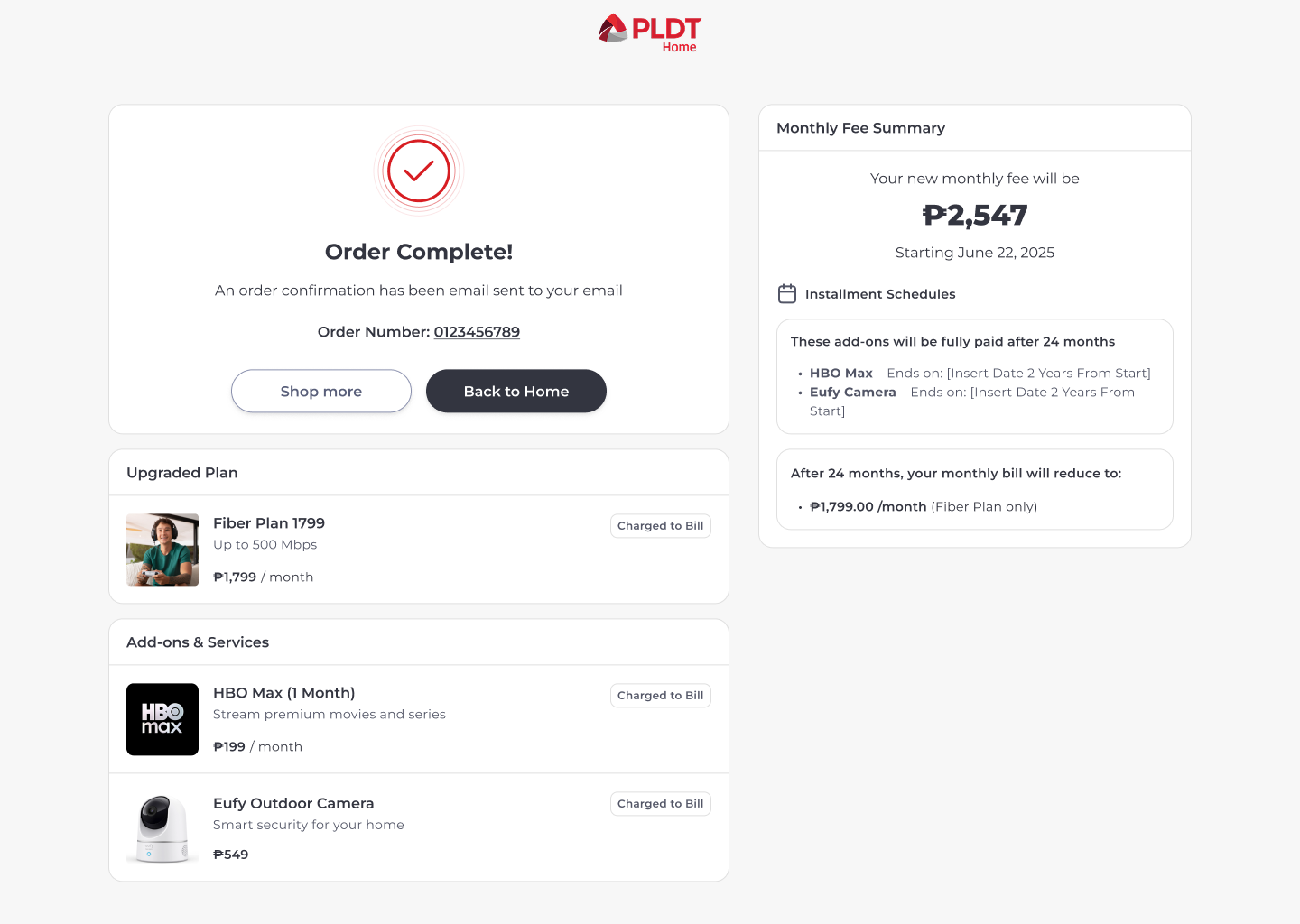
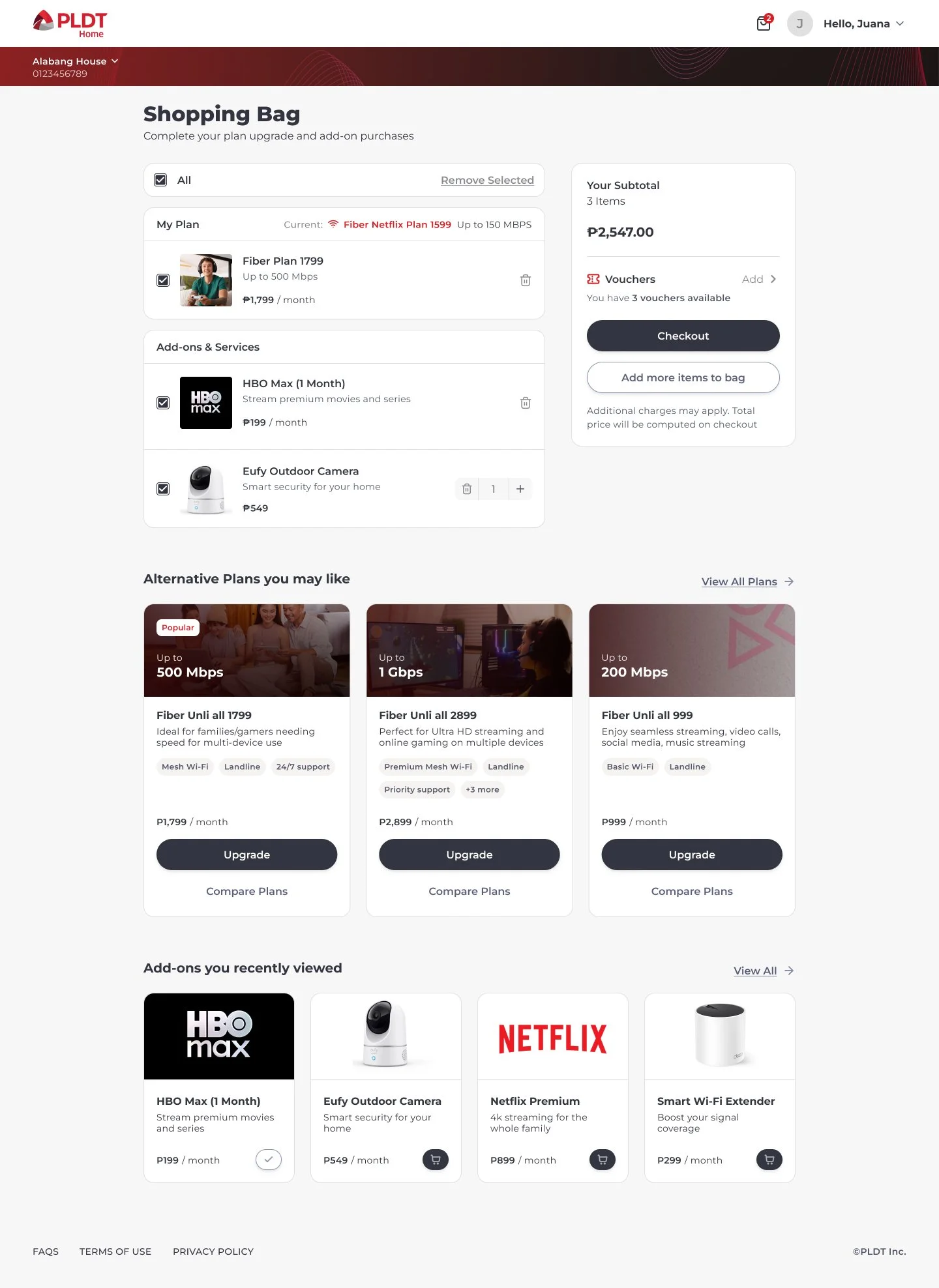
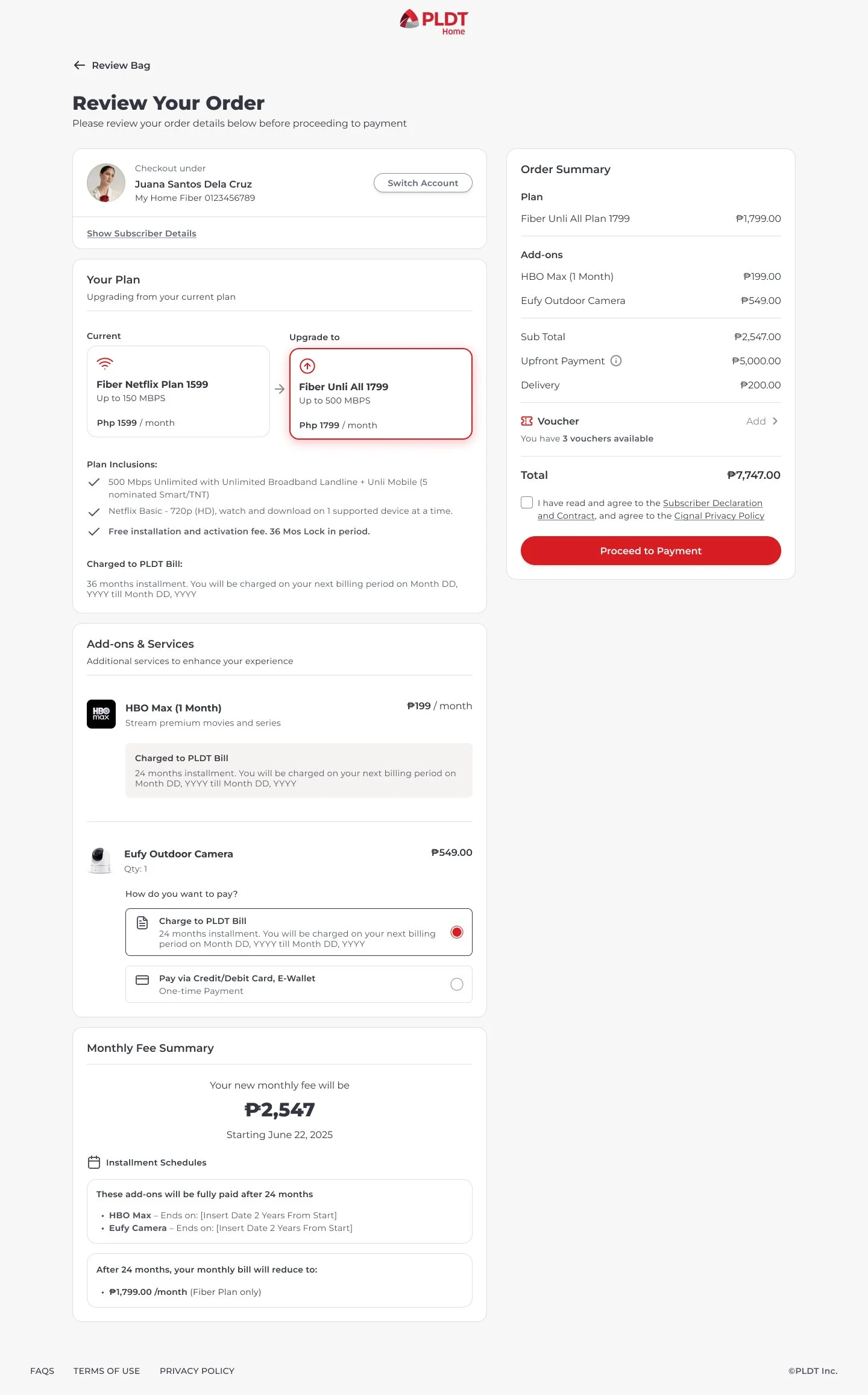
I wanted to replicate the layout of an e-commerce shop given that we were introducing the concept of multiple checkouts for plans and add-ons (something we didn’t have before). By doing so, we are taking into consideration the current customer behavior when shopping online and marketing products in such a manner that would entice them.
Another notable feature is that we are filtering the options based on what they’ve purchased before, whether or not they already have the product, and the eligibility of their plan. This level of personalization streamlines the shopping experience for subscribers, minimizing frustration and encouraging purchase.
Note: Full Shop interface was saved for second phase. Offers featured in phase 1.
Key Learnings & Next Steps
Successful Implementation of Scope
100% Feature Delivery: Successfully designed and launched the 360° MyHome portal MVP according to the revised scope, delivering all four core functional pillars (Dashboard, Billing, Support, and Shop).Overcame Legacy Constraints
I successfully navigated the vendor and legacy system constraints to deliver a platform that was functionally reliable at launch, a major improvement over the previous dysfunctional state.Executed Proper Handoff
Delivered a complete set of assets, including final UI, comprehensive details for next phases, and a detailed success metrics dashboard to ensure the Product team could immediately begin tracking post-launch KPIs.Completed Key Flows
The soft and full Launches successfully validated the three most critical self-service flows, confirming high task completion rates for easy account detail access, personalized offer look-through, and support ticket creation. This established an immediate path for support deflection and cost-saving ventures.Created a Foundation for Data Integrity
The design included a new flow for account validation and data scrubbing,which directly addressed the problem of shell accounts and created a reliable dataset for accurate adoption tracking going forward
Build Ecosystem Integration (Super App)
Exploring the concept for a Group Super App would be beneficial for MyHome. This platform would replicate the MyHome UI/UX and serve as a unified hub for utility, telecom, and banking services across the entire PLDT corporate portfolio, driving loyalty and increasing cross-product engagement.Resolve Legacy Data Integrity
Creating an Automated Account Merge Tool may permanently resolve the issue of unused accounts, ensuring a clean, reliable customer dataset for accurate adoption tracking and segmentation.Introduce Proactive Service Monitoring
The team should develop an automated line checking and WiFi status tool to enable proactive notification of service issues, shifting customer care from reactive issue reporting to proactive failure management.Explore AI-Powered Self-Service
Integrating a context-aware AI Chatbot into the Support Center can ensure that MyHome is keeping up with the current trends. The bot's primary function will be to efficiently retrieve account-specific information and automate the initiation and completion of support tickets.
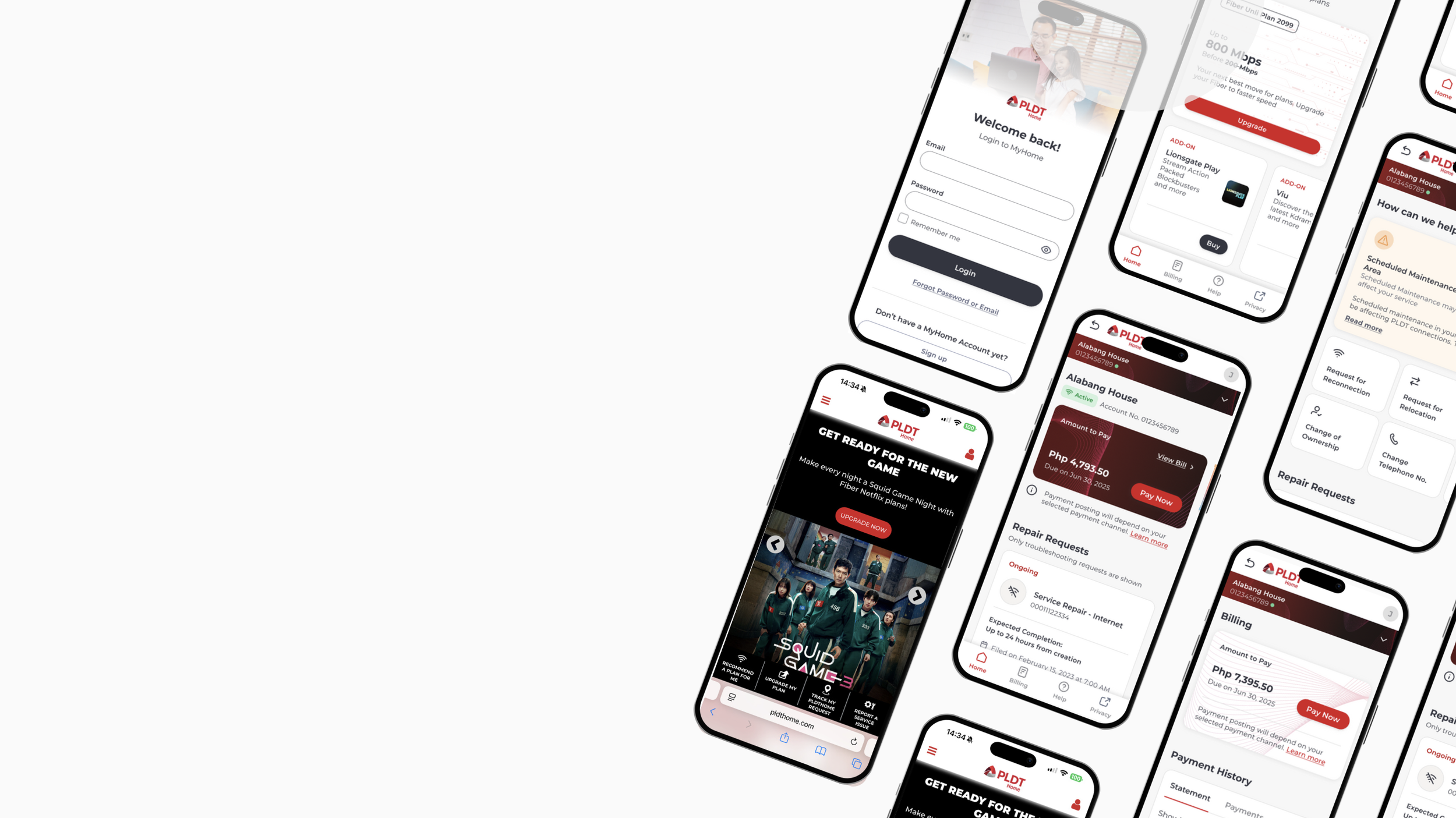
Mobile Views & Additional Wireframes
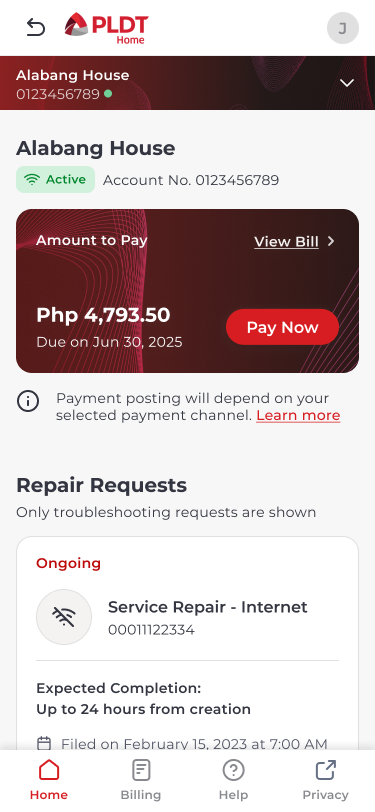
Standard Mobile View

Full View
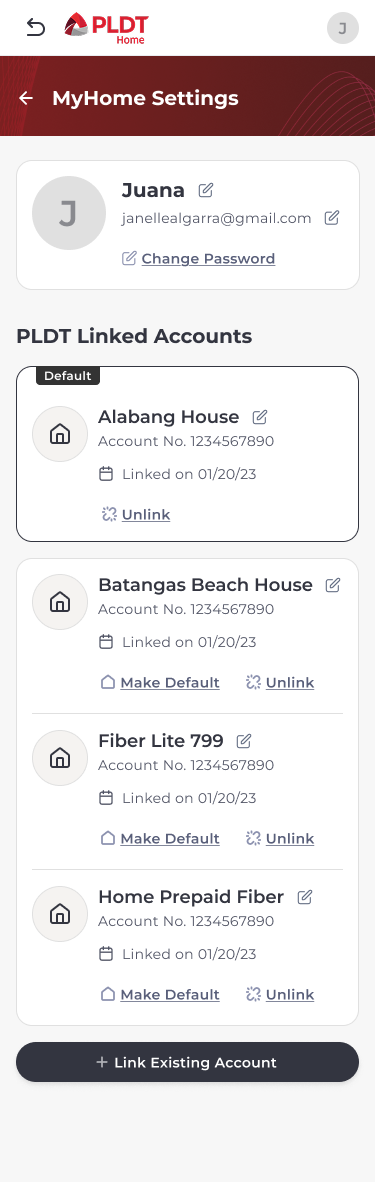


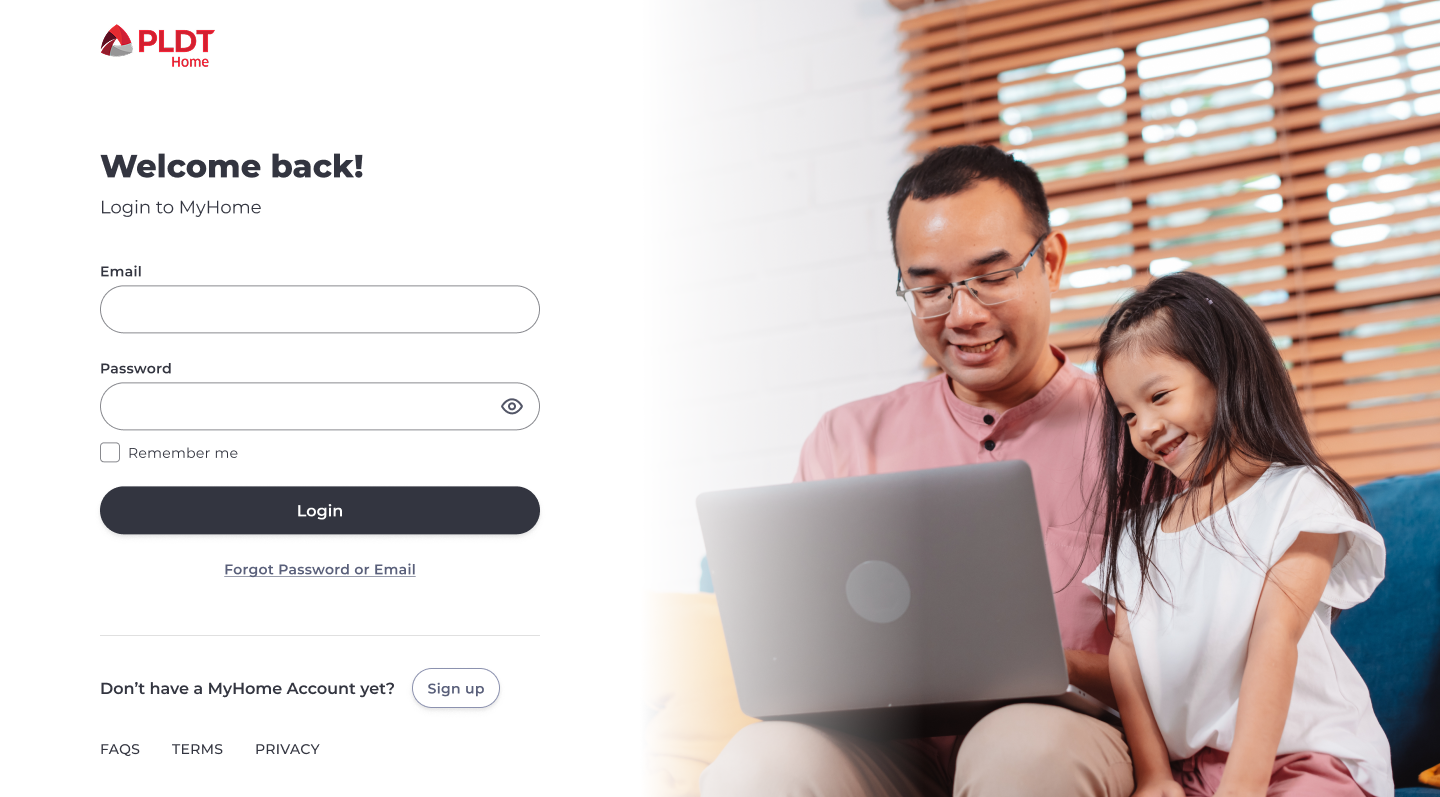
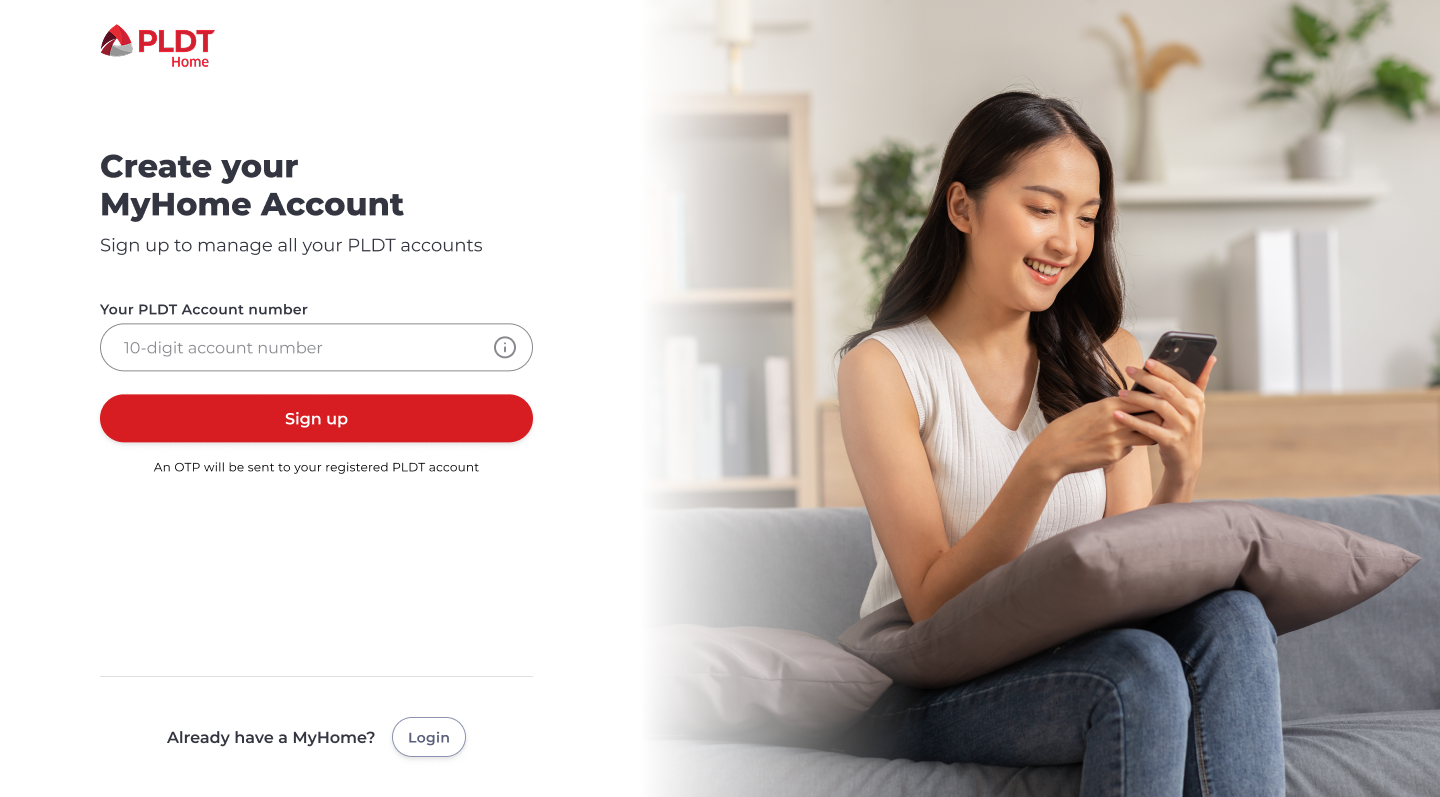
Login and Signup
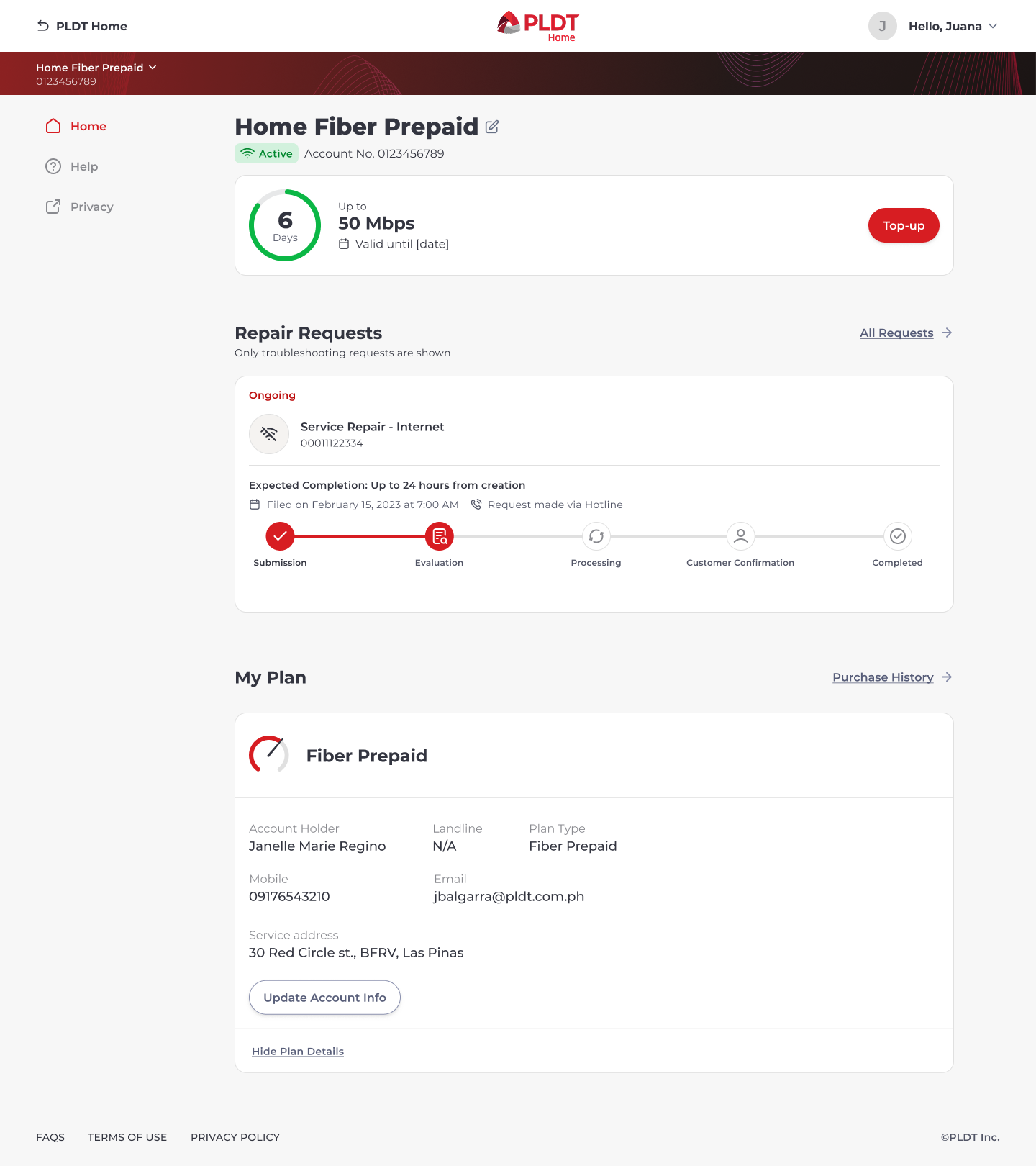
Other Plan Types
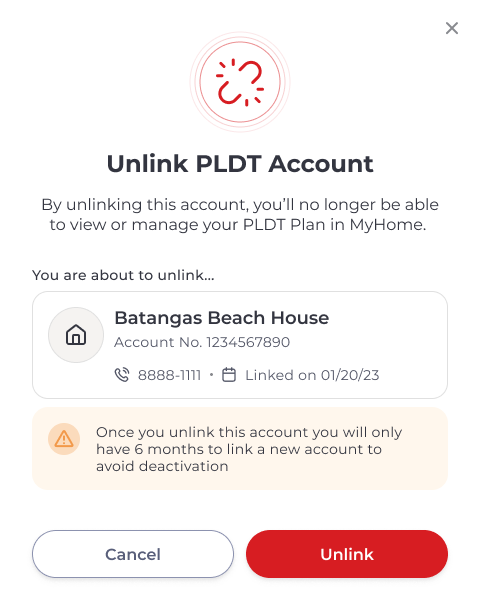
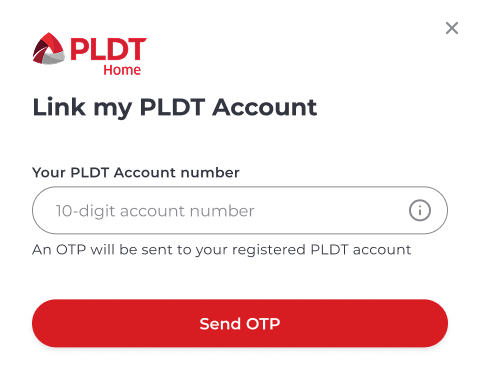
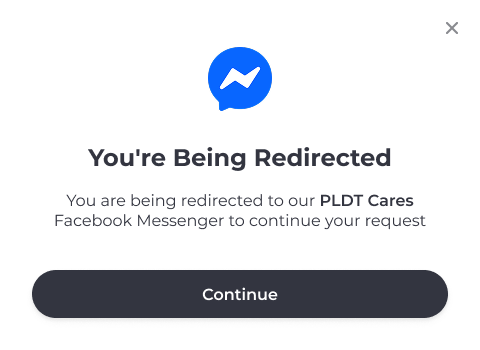
Pop-up windows
Shop Checkout